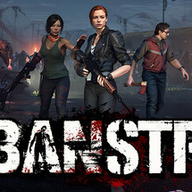
Mastering the Urban Strife Editor: A Complete Guide to Modding Your TBS/RPG
Unlock the full potential of your gameplay with the Urban Strife editor. Learn how to use the Unreal Engine-powered toolkit to create custom RPG experiences.
Unleashing Creativity with the Urban Strife Editor
The post-apocalyptic world of Urban Strife is vast, but for many players, the real adventure begins when they take control of the game’s design through the urban strife editor. By leveraging a powerful suite of development tools, fans can transform the base game into a personalized tactical RPG that fits their exact vision. Understanding how to navigate the urban strife editor is the first step toward building custom scenarios, unique NPCs, and complex world-building elements that push the boundaries of the original title.
Why Use the Urban Strife Modding SDK?
The development team has provided players with a robust Modding SDK that is fundamentally powered by the Unreal Engine. This means that instead of dealing with restrictive, proprietary scripts, modders have access to industry-standard tools for free. Whether you are a seasoned developer or a complete beginner, the engine provides the stability and graphical fidelity needed to bring your ideas to life.
Key Advantages of the Engine
Getting Started with the Toolkit
To begin your journey, you must first ensure you have the official SDK installed. The urban strife editor is designed to be accessible, but it does have a learning curve. Once you boot up the environment, you will be greeted by a workspace that looks and functions just like a professional game development hub.
When you start a new project, focus on these three core pillars:
- Environment Design: Utilizing the terrain and prop placement tools.
- Logic Flow: Defining how objects and characters interact within a scene.
- Trigger Systems: Setting the conditions for gameplay events, such as NPC proximity alerts.
Defining RPG Interactions: A Step-by-Step Approach
One of the most rewarding aspects of using the urban strife editor is the ability to create complex NPC interactions. According to official modding guides, you can easily script characters to react to the player's presence, creating a more immersive, reactive world.
Basic Logic Structure for NPCs
For example, if you want to create a sheriff character who stops pacing when you approach, you simply define the "proximity area" around that character. When the player enters this invisible bubble, the logic script activates, overriding the NPC’s current behavior.
Advanced Modding Techniques
Once you have mastered the basics, you can move on to more advanced features within the urban strife editor. Many community reports suggest that the most successful mods are those that alter the core gameplay loop, such as changing weapon statistics or modifying the turn-based combat damage output.
Recommended Skill Progression
- Phase 1: Creating static environmental props and atmosphere.
- Phase 2: Simple scripting for NPC dialogue and movement.
- Phase 3: Modifying existing inventory systems and loot tables.
- Phase 4: Creating entirely new questlines with branching narratives.
Managing Your Mod Projects
Efficiency is key when working with large-scale projects. The urban strife editor allows for modular design, meaning you can work on different aspects of your mod—like textures, sound, or code—separately before integrating them into the master build.
Common Modding Challenges
Community-Sourced Tips and Best Practices
According to various community reports, the best way to learn is by deconstructing existing game files. By opening official assets within the urban strife editor, you can see exactly how the developers structured their quests and character behaviors. This "reverse engineering" method is widely considered the fastest route to proficiency.
Player experience often highlights that beginners should start small. Don't attempt to build a massive, game-changing total conversion mod on your first day. Instead, try to modify one small interaction or add a single custom item to the shop. Building confidence through small wins will prevent burnout and help you understand the nuances of the Unreal Engine interface.
Troubleshooting Common Issues
Even with a high-quality editor, issues will arise. If you find that your custom content isn't appearing in-game, verify your folder paths. The game engine expects a specific directory structure to load custom assets. Always double-check your file naming conventions, as the engine can be sensitive to special characters or spaces in path names.
Frequently Asked Questions
Q: Is the Urban Strife editor free to use? A: Yes, the SDK is provided by the developers and allows you to utilize the power of the Unreal Engine at no extra cost to create your own content.
Q: Do I need to be a professional programmer to use the editor? A: Not at all. The urban strife editor utilizes visual scripting, which allows you to design complex logic and interactions without needing to write traditional code from scratch.
Q: Can I share my mods with other players? A: Absolutely. Once you have finished your creation, you can package your mod and share it with the community via Steam or other mod-hosting platforms.
Q: Where can I find more help if I get stuck? A: We highly recommend checking the official Urban Strife Modding Guides for detailed tutorials and documentation on specific features.
Related Guides
Mastering the Urban Strife Workshop: Enhancing Your Post-Apocalyptic Survival Experience
Learn how to optimize your gameplay in Urban Strife by utilizing the Steam Workshop for mods, custom content, and community-driven tactical improvements.
Urban Strife Mods: Everything You Need to Know About Future Customization and Support
Explore the current state of Urban Strife, the status of upcoming Urban Strife mods, and how to optimize your tactical survival experience today.
Urban Strife Nexus Mods: Status Update and Community Modding Guide for 2026
Looking for Urban Strife Nexus mods? We break down the current modding landscape for MicroProse's survival RPG and where to find community content.